Manage, view, and resume your Claude Code sessions with persistent naming. 管理、查看和恢复 Claude Code 会话,会话名称持久化保存。
Session names survive restarts. Rename once, remember forever. 会话名称重启后依然保留,重命名一次,永久记住。
Background process starts with Claude Code, stops when all sessions close. Claude Code 启动时自动运行监控,全部关闭后自动停止。
One-line install. Hooks configured automatically. No manual setup. 一行命令安装,Hooks 自动配置,无需手动设置。
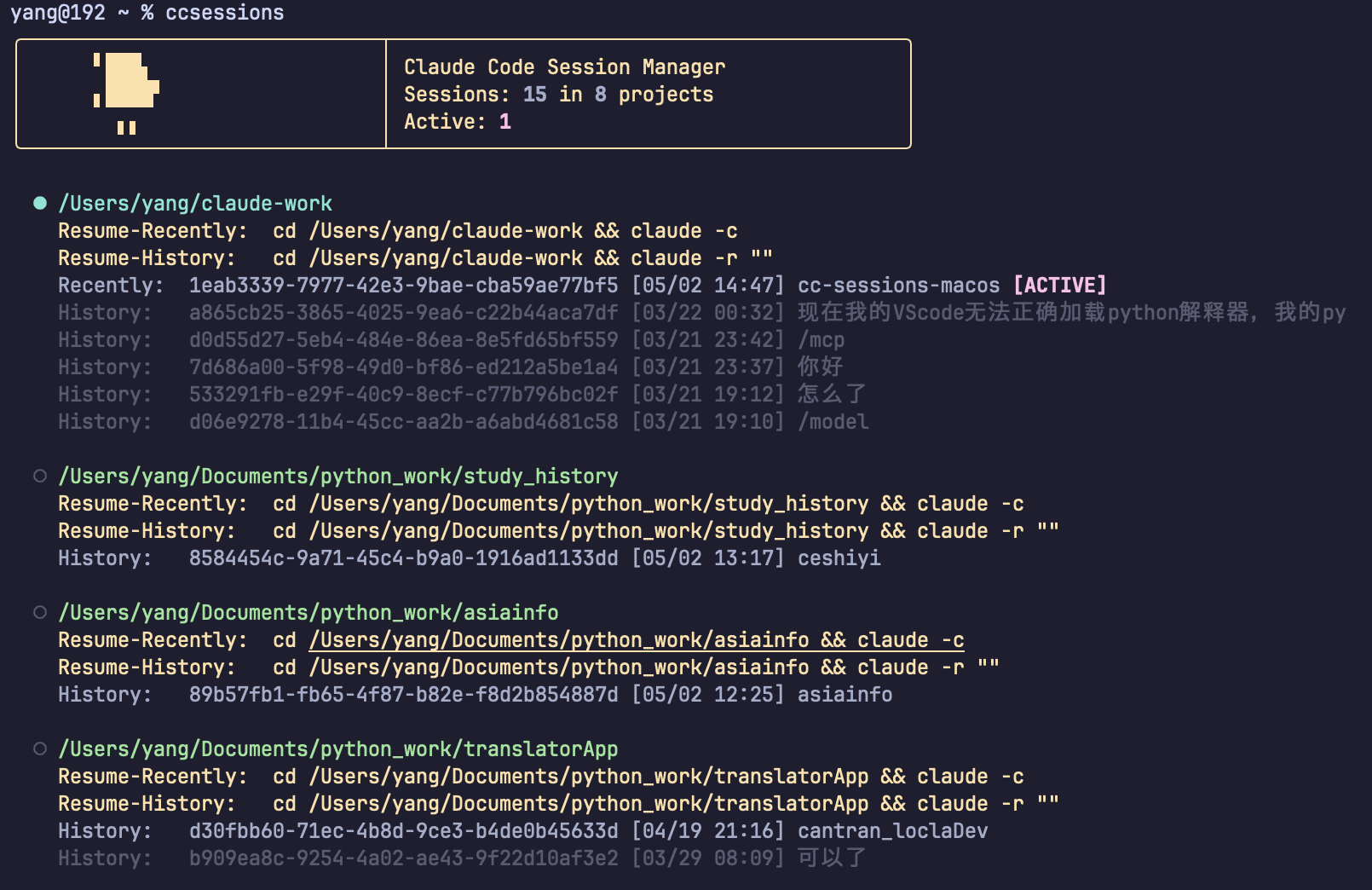
One command shows all sessions, grouped by project with running status. 一条命令展示所有会话,按项目分组,带运行状态。
See which sessions are live, with one-click resume commands. 实时查看哪些会话正在运行,一键恢复任意会话。
Native scripts for both platforms. Each installs with one command. 双平台原生脚本,各自一条命令安装。
curl -sL https://cantran.me/ccsessions/install.sh | bash
irm https://cantran.me/ccsessions/install.ps1 | iex
Run ccsessions to see all your Claude Code sessions, grouped by project directory.
运行 ccsessions 查看所有 Claude Code 会话,按项目目录分组展示。
ccsessions
Copy the resume command from the output to quickly jump back into any session. 复制输出中的恢复命令,快速回到任意会话。
cd ~/project && claude -c
Use /rename myproject inside Claude Code. The name persists across restarts.
在 Claude Code 中使用 /rename 项目名。名称会跨重启持久化保存。
/rename myproject
The background monitor runs automatically — no extra steps needed. Names are saved in real-time. 后台监控进程自动运行,无需额外操作。名称实时保存。